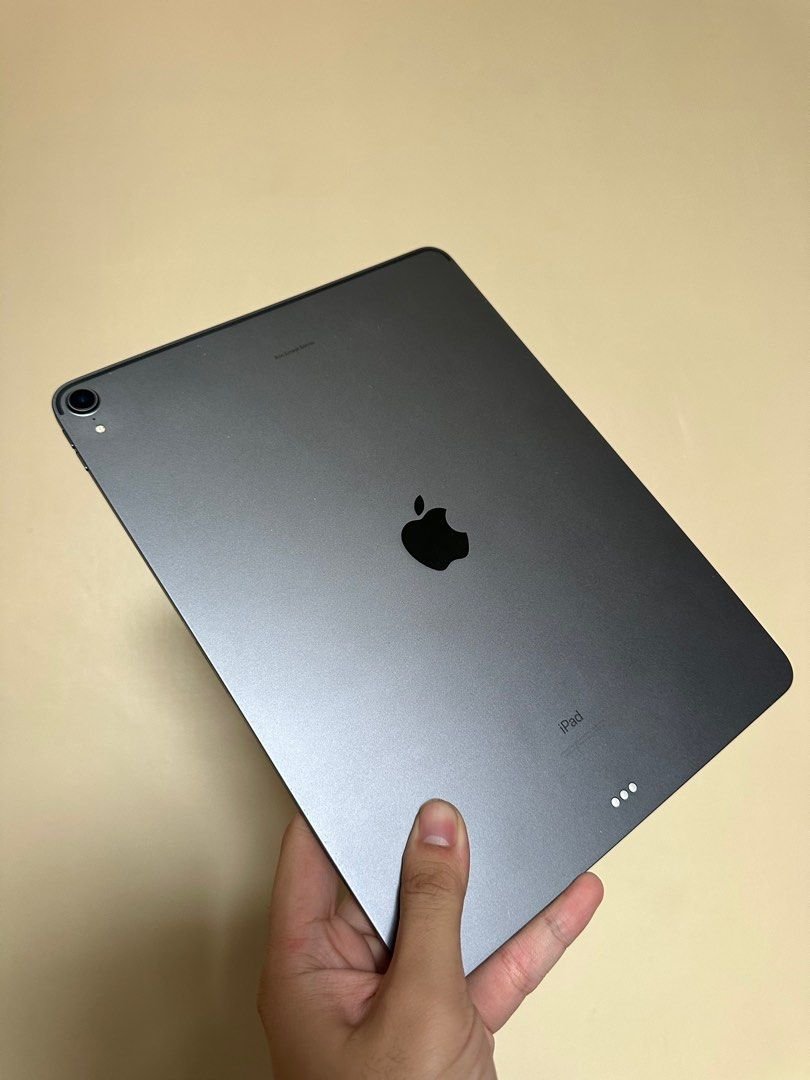
Navigating Apple's iPad lineup can feel like deciphering an ancient scroll, especially when it comes to generational naming. The term "iPad Pro third generation" is a prime example, referring not to one, but to two distinct and powerful devices released years apart. This guide cuts through the confusion, offering a comprehensive look at both iterations of the iPad Pro 3rd Gen, detailing their unique features, capabilities, and who they’re best suited for.
Ready to understand which "3rd Gen" iPad Pro truly fits your workflow? Let’s dive in.
At a Glance: Understanding the iPad Pro 3rd Gen(s)
Before we unpack the specifics, here's a quick overview to set your expectations:
- Two Generations, One "3rd Gen" Label: Be aware that "iPad Pro 3rd Gen" can refer to:
- The 2018 Models: The first iPad Pros to feature the iconic all-screen design, Face ID, and USB-C, powered by the A12X Bionic chip. Available in both 11-inch and 12.9-inch sizes.
- The 2021 11-inch Model: An update to the 11-inch form factor, distinguished by Apple's revolutionary M1 chip, 5G connectivity, and Thunderbolt/USB 4 support.
- Performance Leaps: The 2018 models offered laptop-class performance for their time, while the 2021 M1 model ushered in desktop-class processing power.
- Design Shift (2018): The 2018 models introduced a major redesign – slimmer bezels, no home button, and a flat-edged aesthetic that persists in later models. The 2021 11-inch model retains this design but upgrades the internals.
- Key Connectivity: Both support the Apple Pencil (2nd Gen) and Smart Keyboard Folio. The 2018 models feature USB-C, while the 2021 M1 11-inch model boasts a more versatile Thunderbolt/USB 4 port.
- Display Excellence: Both generations feature Apple's stunning Liquid Retina display with ProMotion (120Hz adaptive refresh rate) for incredibly smooth visuals.
- Target Audience: From creative professionals to students and everyday users, these devices offer robust performance for demanding tasks.
The "3rd Gen" Conundrum: Unpacking Apple's Naming Strategy
Apple’s product naming conventions can sometimes lead to a bit of head-scratching, and the "iPad Pro 3rd Generation" is a prime example. To clarify, the term applies to two distinct product lines:
- iPad Pro (2018) – The Original Design Revolution: This was the third generation of the entire iPad Pro lineup when it launched. It came in two sizes: an 11-inch model and a 12.9-inch model, both sharing the same core features and the A12X Bionic chip. This was a monumental release, changing the very definition of what an iPad Pro could be.
- iPad Pro 11-inch (2021) – The M1 Powerhouse: When the 2021 iPad Pro models were released, the 12.9-inch version was designated the 5th generation (due to its previous iterations), but the 11-inch version was internally categorized as its 3rd generation. This particular 11-inch model is notable for bringing the desktop-class M1 chip to the iPad.
So, when discussing the iPad Pro 3rd Gen, it's essential to clarify whether you're referring to the groundbreaking 2018 models or the significantly more powerful 2021 11-inch variant. We’ll break down each below to ensure you have all the details.
Deep Dive: The iPad Pro 3rd Generation (2018) with A12X Bionic
The 2018 iPad Pro was a seismic shift for Apple's tablet line, pushing the boundaries of what a tablet could achieve and positioning it as a genuine laptop replacement for many.
Launch and Vision: A New Era for iPad Pro
Announced in October 2018, this generation was designed with a clear message: the iPad Pro was ready to take on traditional computers. Apple touted its power, versatility, and the new possibilities offered by its redesigned form factor and accessories. It shipped initially with iOS 12, later evolving with iPadOS, which introduced even more robust multitasking features like Split View and Slide Over, bridging the gap between tablet and laptop productivity.
Design Revolution: Edge-to-Edge and Face ID
Perhaps the most striking change was the all-new industrial design. Gone was the iconic Home button and the thicker bezels that framed previous iPads. The 2018 iPad Pro embraced an edge-to-edge Liquid Retina display, significantly increasing screen real estate in a more compact body. This design choice necessitated the introduction of Face ID for secure authentication and unlocking, marking the first time this biometric technology appeared on an iPad.
The physical dimensions were also carefully crafted:
- 11-inch model: 247.6 mm H x 178.5 mm W x 5.9 mm D, weighing 468g (Wi-Fi) / 470g (Wi-Fi + Cellular).
- 12.9-inch model: 280.6 mm H x 214.9 mm W x 5.9 mm D, weighing 631g (Wi-Fi) / 633g (Wi-Fi + Cellular).
Both models shared an impressively thin 5.9 mm profile, making them sleek and portable despite their power. Available colors were Silver and Space Gray.
Performance: The A12X Bionic Chip
At its heart, the 2018 iPad Pro was powered by the A12X Bionic chip. This wasn't just an incremental upgrade; it was a beast of a processor for its time:
- 8-core CPU: Featuring 4 performance cores and 4 efficiency cores, it delivered processing power that rivaled many laptops.
- 7-core GPU: Offered significant graphics performance, crucial for demanding tasks like video editing, graphic design, and 3D rendering.
- Neural Engine: Dedicated hardware for machine learning tasks, enhancing features like Face ID, AR experiences, and intelligent photo processing.
This chip enabled the iPad Pro to handle pro-level applications with remarkable fluidity, from editing multiple 4K video streams in LumaFusion to running complex CAD software. Storage options for this generation included 64GB, 256GB, 512GB, and a substantial 1TB.
Liquid Retina Display: Visual Brilliance
The display on the 2018 models was a technological marvel, aptly named Liquid Retina. These LCD panels packed advanced features:
- ProMotion Technology: An adaptive refresh rate up to 120Hz, ensuring incredibly smooth scrolling, fluid animations, and highly responsive Apple Pencil input.
- Wide Color (P3): Offered a broader spectrum of colors, making content look vibrant and true-to-life, especially important for creative professionals.
- True Tone: Automatically adjusted the white balance of the display to match the ambient light, providing a more natural viewing experience.
- Fully Laminated & Antireflective Coating: Minimized glare and made the display feel closer to the surface for a more immersive experience.
- 600 nits Max Brightness: Ensured excellent visibility even in brightly lit environments.
Resolutions varied by size: - 11-inch model: 2388 x 1668 resolution at 264 ppi.
- 12.9-inch model: 2732 x 2048 resolution at 264 ppi.
Camera System: Capable Capture
While not the primary selling point for a tablet, the cameras on the 2018 iPad Pro were more than capable:
- Rear 12MP Wide Camera: (ƒ/1.8 aperture) featuring 5x digital zoom, Quad-LED True Tone flash, Panorama (up to 63MP), Autofocus with Focus Pixels, Live Photos, HDR, and image stabilization. It recorded 4K video at 30 or 60 fps, 1080p HD at 30 or 60 fps, and supported slo-mo up to 240 fps.
- Front TrueDepth Camera (7MP, ƒ/2.2 aperture): This camera powered Face ID and brought Portrait mode, Portrait Lighting, Animoji, and Memoji to the iPad. It recorded 1080p HD video at 30 or 60 fps.
Audio and Connectivity: USB-C Embraced
The 2018 iPad Pro marked a significant shift in connectivity with the adoption of a USB-C port, replacing Apple's proprietary Lightning connector. This brought several advantages:
- Versatility: Allowed for charging, connecting to a wider range of accessories (external monitors, hard drives, cameras), and data transfer up to 10 Gbps.
- Power Delivery: Supported faster charging and power output to other devices.
- Four-Speaker Audio System: Delivered rich, immersive stereo sound, dynamically adjusting based on orientation.
- Five Microphones: Provided studio-quality audio capture, essential for video calls, voice memos, and content creation.
- Wireless Connectivity: Supported Wi-Fi 802.11a/b/g/n/ac (dual-band, MIMO, HT80) and Bluetooth 5.0. Wi-Fi + Cellular models added Gigabit-class LTE for fast mobile data.
Accessories: The Second-Gen Apple Pencil
This generation debuted the 2nd generation Apple Pencil, a refined tool that significantly enhanced the iPad Pro experience:
- Magnetic Attachment and Wireless Charging: The Pencil magnetically snapped to the side of the iPad Pro for secure storage and automatic wireless charging, eliminating the need for awkward plug-ins.
- Double-Tap Gesture: Allowed users to quickly switch tools (e.g., from pen to eraser) with a simple double-tap on the Pencil's barrel, speeding up creative workflows.
Both the 11-inch and 12.9-inch 2018 models also supported the Smart Keyboard Folio, offering a full-sized keyboard and protection without needing to be charged or paired.
Battery Life: All-Day Power
The built-in rechargeable lithium-polymer battery in both sizes offered impressive endurance, providing up to 10 hours of web surfing on Wi-Fi, video watching, or music listening. The 12.9-inch model had a slightly larger battery commensurate with its increased screen size and power needs.
Deep Dive: The iPad Pro 11-inch 3rd Generation (2021) with M1 Chip
While the 2018 models were a revolution, the 2021 11-inch iPad Pro 3rd Gen represented an evolution, focusing on raw power and advanced connectivity, leveraging Apple's game-changing M1 chip.
Launch and Vision: Desktop Power in a Tablet
Announced on April 20, 2021, and released on May 21, 2021, the 2021 iPad Pro 11-inch model (Alias: Apple iPad 13,6) was all about bridging the gap between mobile and desktop computing. It ran on Apple iOS / iPadOS 14.5, immediately benefiting from the software's advanced features and optimizations for the M1 chip.
Design (Familiar, Yet Enhanced)
Visually, the 2021 11-inch iPad Pro maintained the sleek, flat-edged, edge-to-edge design introduced with the 2018 models. The dimensions and weight were nearly identical:
- Dimensions: 247.6 mm (H) x 178.5 mm (W) x 5.9 mm (D).
- Weight: 470 g (16.58 ounces).
Colors remained Silver and Space Gray. The major design changes were internal, facilitating the integration of the powerful M1 chip and new connectivity options.
Performance: The Apple M1 Chip
This was the star of the show. Bringing the same Apple M1 APL1102 / APL1W02 (T8103) CPU found in MacBooks, the 2021 11-inch iPad Pro offered unprecedented performance for a tablet:
- 8-core CPU: Clocked at 3194 MHz, delivering up to 50% faster CPU performance than the A12Z Bionic chip (which succeeded the A12X in the 2020 iPad Pro).
- 8-core GPU: An Apple M1MP8 GPU at 1278 MHz, providing up to 40% faster graphics performance.
- 16-core Neural Engine: Significantly boosted machine learning capabilities.
- Unified Memory (RAM): Available in 8 GB or a staggering 18 GB (2133 MHz) LPDDR4x SDRAM for models with 1TB or 2TB of storage, allowing for more intense multitasking and pro-app usage.
- Storage Options: 128 GB, 256 GB, 512 GB, 1 TB, or 2 TB Flash EEPROM.
This raw power meant the 2021 11-inch iPad Pro could handle virtually any mobile task, from intricate 3D rendering and professional video editing to running demanding AR applications with ease.
Display: Brilliant Retina (Not XDR for 11-inch)
The 2021 11-inch iPad Pro features a superb 11-inch (279 mm) Retina Display with a 1668x2388 resolution and 265 PPI. Key features include:
- 120 Hz Refresh Rate (ProMotion): Continues the legacy of buttery-smooth scrolling and responsiveness.
- 10-bit Dynamic Range & 1073.7M Colors: Offers exceptional color accuracy and depth, crucial for creative work.
- 82.7% Screen-to-Body Ratio: Provides an immersive viewing experience.
- True Tone & Wide Color (P3): Standard features for excellent color accuracy and comfortable viewing.
It's important to note that while the 12.9-inch 2021 iPad Pro gained the Liquid Retina XDR display, the 11-inch model retained the high-quality Liquid Retina display (not XDR), still an industry leader.
Camera System: Pro Cameras with LiDAR and Center Stage
The 2021 11-inch iPad Pro stepped up its camera game significantly:
- Main Back Camera: 12.0 MP (f/1.80) with Phase-Detection Autofocus, 4000x3000 pixel resolution, and 4K video recording at 60 fps. Features include 2.0x optical zoom, 5.0x digital zoom, quad LED flash, Electronic Image Stabilizer (EIS), HDR, slow motion, burst mode, touch focus, macro mode, panorama, and face detection/retouch.
- Second Back Camera: 10.0 MP (f/2.40) (Ultra Wide).
- Third Mono CMOS Back Camera (LiDAR Scanner): This revolutionary addition enables advanced Augmented Reality (AR) experiences by mapping the environment with incredible speed and accuracy. It also assists with autofocus in low-light conditions.
- Front Camera (TrueDepth): 12.0 MP (f/2.40) with 4000x3000 pixel resolution, 1080p video recording at 60 fps, EIS, HDR, burst mode, panorama, and face detection. This camera introduced Center Stage, an intelligent feature that automatically keeps you in the frame during video calls, even as you move around.
Connectivity & Audio: 5G and Thunderbolt/USB 4
The 2021 11-inch iPad Pro brought cutting-edge connectivity:
- 5G UW Cellular + WiFi: For incredibly fast mobile internet speeds, supporting extensive GSM, UMTS, LTE, and NR frequency bands and data links up to NR 4.6 Gbps. Apple SIM is included.
- Wi-Fi 6 (IEEE 802.11ax): The latest Wi-Fi standard for faster and more reliable wireless connections.
- Bluetooth 5.0: With A2DP, aptX, AVRCP, HFP, PAN, PBA profiles.
- USB-C Port with Thunderbolt/USB 4: This was another game-changer, offering up to 40 Gbps bandwidth. This vastly expanded the iPad Pro's capabilities for connecting high-bandwidth external displays (up to 6K resolution), external storage, and docks, truly transforming it into a versatile workstation. It supports Hi-Speed (480 Mbps), charging, fast charging, Host, On-The-Go 1.3/2.0, and Power Delivery 2.0/3.0.
- Audio: Stereo output via USB Type-C and five microphones for superior sound capture.
Battery Life and Sensors
The built-in Lithium-ion battery has a total capacity of 7540 mAh (3.80 Volts, 28.65 Wh) and supports 20.0 W charging, offering a robust life of 9.0 hours. Location services are enhanced by the M1 chip with GPS.
A comprehensive suite of sensors includes a Barometer, Light intensity sensor, IR face sensor (for Face ID), LiDAR, Accelerometer, Compass, and Gyroscope, enhancing everything from AR to navigation.
Comparing the Two "Third Gens": A Quick Look
While both are formidable devices, understanding the key differences between the 2018 iPad Pro 3rd Gen (A12X) and the 2021 iPad Pro 11-inch 3rd Gen (M1) is crucial for making an informed decision.
| Feature | iPad Pro 3rd Gen (2018) A12X Bionic (11-inch & 12.9-inch) | iPad Pro 11-inch 3rd Gen (2021) M1 Chip (11-inch only) |
|---|---|---|
| Processor | A12X Bionic (8-core CPU, 7-core GPU) | M1 Chip (8-core CPU, 8-core GPU, 16-core Neural Engine) |
| Performance | Laptop-class (for 2018), excellent for pro apps | Desktop-class, significantly faster CPU/GPU |
| RAM | Not officially specified, typically 4GB or 6GB | 8GB or 18GB (for 1TB/2TB storage models) |
| Cellular | Gigabit-class LTE | 5G (sub-6 GHz and mmWave in some regions) |
| USB-C Port | USB-C (up to 10 Gbps data transfer) | Thunderbolt / USB 4 (up to 40 Gbps data transfer) |
| LiDAR Scanner | No | Yes (on rear camera module) |
| Front Camera | 7MP TrueDepth (Face ID, Portrait Mode) | 12MP TrueDepth (Face ID, Portrait Mode, Center Stage) |
| Wi-Fi Standard | Wi-Fi 5 (802.11ac) | Wi-Fi 6 (802.11ax) |
| Display | Liquid Retina (ProMotion, True Tone, P3) | Liquid Retina (ProMotion, True Tone, P3, 10-bit color) |
| Storage Options | 64GB, 256GB, 512GB, 1TB | 128GB, 256GB, 512GB, 1TB, 2TB |
Who is Each 3rd Gen iPad Pro For? Making Your Choice
Understanding the nuances between these two "3rd generations" helps clarify which device might be the better fit for your specific needs and budget.
The iPad Pro 3rd Gen (2018) with A12X Bionic: The Value Workhorse
If you're looking for a powerful, versatile tablet that's still highly capable for professional tasks without breaking the bank, the 2018 iPad Pro is an excellent contender, especially on the secondhand market.
- For the Creative on a Budget: If you're into illustration, graphic design, light video editing, or music production, the A12X Bionic chip combined with the Liquid Retina display and Apple Pencil (2nd Gen) support still offers a fantastic experience. It handles apps like Procreate, Affinity Photo, and GarageBand with ease.
- Students and Everyday Productivity: For note-taking, research, writing, presentations, and media consumption, this model is overkill in the best way possible. Its robust performance ensures smooth multitasking and longevity for everyday academic or professional use.
- Entry into the Pro Ecosystem: It provides access to the full suite of iPadOS features and the premium iPad Pro experience (Face ID, USB-C, ProMotion) at a more accessible price point than newer models.
- Those Who Don't Need Cutting-Edge Connectivity: If 5G isn't a priority and your external display/accessory needs don't require Thunderbolt's extreme bandwidth, the standard USB-C port is perfectly adequate.
Consider this if: You need a high-performance tablet for creative or demanding productivity tasks, but you're budget-conscious and don't require the absolute latest in processing power or connectivity, or specific features like LiDAR.
The iPad Pro 11-inch 3rd Gen (2021) with M1 Chip: The Portable Powerhouse
This model is for users who demand uncompromised performance and future-proofing in an 11-inch form factor. The M1 chip fundamentally changes what a tablet can do.
- For the Power User and Professional: If your workflow involves heavy-duty video editing (4K+), complex 3D modeling, high-resolution photo manipulation with large files, or running virtual machines, the M1 chip will deliver unparalleled speed and efficiency.
- Future-Proofing Your Investment: The M1 chip, Thunderbolt/USB 4, and 5G connectivity ensure this iPad Pro will remain highly relevant and capable for years to come, especially as iPadOS continues to evolve with more desktop-class features.
- AR and Spatial Computing Enthusiasts: The LiDAR scanner is a game-changer for augmented reality applications, offering precise depth mapping that opens up new possibilities for designers, architects, and anyone interested in spatial computing.
- Frequent Video Conferencers: Center Stage on the front camera provides a more dynamic and engaging video call experience, making it ideal for remote work or online learning.
- Demanding External Display Setups: The Thunderbolt/USB 4 port allows for incredibly fast data transfer and support for high-resolution external monitors (like Apple's Pro Display XDR or Studio Display) at their full capabilities, transforming the iPad into a truly powerful desktop replacement.
Consider this if: You need the absolute best performance available in an 11-inch tablet, intend to push the limits of mobile computing, require cutting-edge connectivity like 5G and Thunderbolt, or leverage advanced features like LiDAR and Center Stage.
Navigating the Secondhand Market: Tips for Buying a 3rd Gen iPad Pro
Given that both of these models are no longer sold new by Apple, the secondhand market is your primary avenue. Here's what to look for:
- Identify the Exact Model: Crucially, verify if it's the 2018 A12X model or the 2021 M1 11-inch model. Check the model number (e.g., A1980, A2013 for 2018 11-inch; A2301 for 2021 11-inch) and the chip name in the device's settings (Settings > General > About).
- Battery Health: iPads generally have excellent battery longevity, but check the cycle count if possible, or at least ensure it holds a charge well. Expect a used device to have some degradation, but anything below 80% maximum capacity might impact daily use.
- Screen Condition: Inspect the Liquid Retina display meticulously for scratches, cracks, dead pixels, or "white spots" (often indicative of impact damage). Test touch responsiveness across the entire screen.
- Port Functionality (USB-C/Thunderbolt): Test the USB-C port by plugging in a charger and, if possible, an external accessory or monitor. Ensure it charges reliably and connects to peripherals.
- Camera & Audio Test: Take photos and videos with both front and rear cameras. Record a voice memo and play some audio to ensure speakers and microphones are functioning correctly.
- Face ID: Set up Face ID to confirm it works reliably.
- Apple Pencil (2nd Gen) Compatibility: If you plan to use an Apple Pencil, test it with the iPad to ensure magnetic attachment and wireless charging are working.
- Activation Lock: Ensure the previous owner has completely removed their Apple ID and iCloud account. Never buy an iPad with Activation Lock enabled, as it renders the device unusable for you.
- Storage: Choose a storage capacity that suits your needs. Remember, iPad storage is not expandable.
The Longevity Factor: Software Updates and Continued Relevance
Both the 2018 and 2021 3rd Gen iPad Pros have excellent longevity. Apple is known for providing years of software updates, and the robust hardware in these models ensures they will continue to receive the latest iPadOS features for a considerable time.
- 2018 iPad Pro (A12X): Still performs admirably and will continue to support the latest iPadOS versions for the foreseeable future. Its performance remains more than sufficient for most tasks.
- 2021 iPad Pro 11-inch (M1): With the M1 chip, this device has a very long runway for software support and future performance demands. It's essentially a Mac-level chip in a tablet, future-proofing your investment significantly.
Beyond the Specs: The iPad Pro Experience
Beyond the technical specifications, the true value of any iPad Pro lies in the experience it offers.
- iPadOS: This specialized operating system transforms the iPad Pro into a highly capable computing device, blending tablet simplicity with advanced multitasking, file management, and desktop-class browser experiences. Features like Stage Manager (introduced in later iPadOS versions) continue to evolve how you interact with multiple apps.
- The Apple Ecosystem: Seamless integration with other Apple devices, AirDrop, Handoff, and Sidecar (to use your iPad as a second Mac display) further enhance productivity and creativity.
- App Ecosystem: Access to millions of apps, including a thriving collection of pro-grade applications optimized for the iPad Pro's power and Apple Pencil. Whether you're drawing in Procreate, editing video in LumaFusion, or building complex spreadsheets, the app ecosystem is unmatched.
Your Next Steps: Deciding on the Right Pro
Choosing between the two "3rd Gen" iPad Pros comes down to your priorities: budget, raw performance needs, and desire for cutting-edge features.
- If you're seeking exceptional value, still-powerful performance, and the core iPad Pro experience for creative work, productivity, or media, the 2018 iPad Pro 3rd Generation (A12X Bionic) in either 11-inch or 12.9-inch size remains a fantastic choice, particularly on the secondhand market.
- However, if you demand absolute top-tier performance for the most intensive tasks, require 5G and Thunderbolt/USB 4 connectivity, or plan to leverage advanced AR capabilities and Center Stage, the 2021 iPad Pro 11-inch 3rd Generation (M1 Chip) is the undisputed champion. It offers a level of power and versatility that truly blurs the lines between tablet and professional workstation.
No matter which "3rd Gen" you choose, you'll be investing in a device that redefined mobile computing and continues to offer a premium, powerful, and versatile experience. Assess your needs, check your budget, and get ready to unlock a world of possibilities with your iPad Pro.