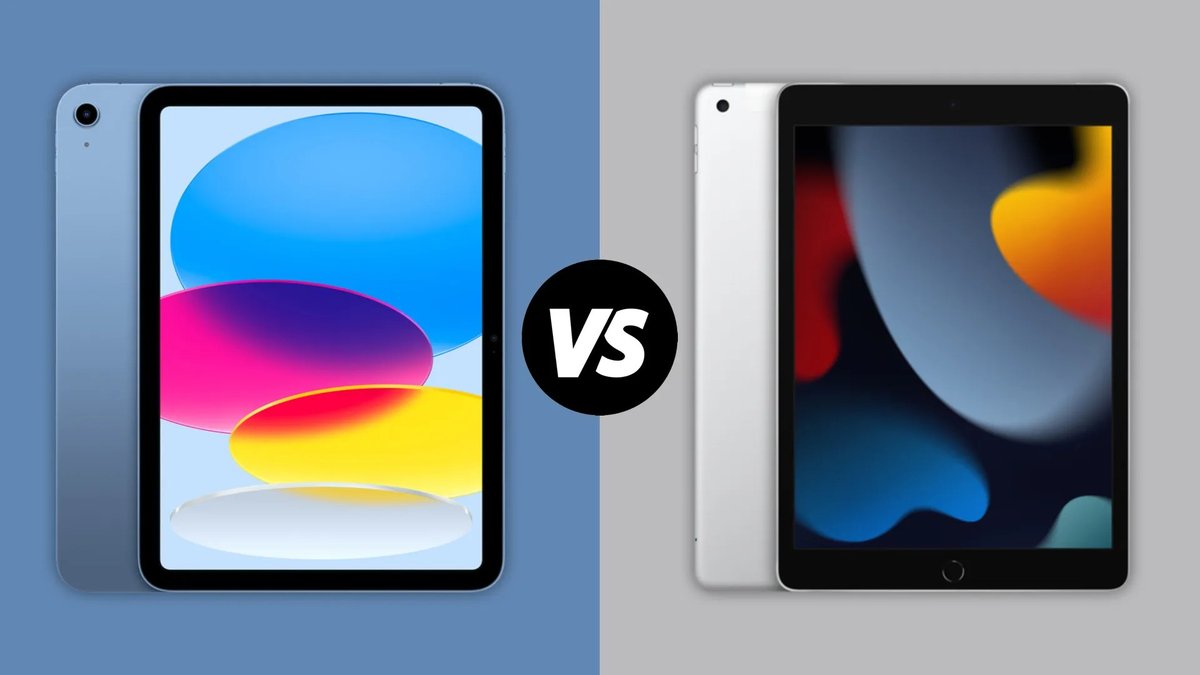
For years, the debate has raged: can an iPad truly replace a laptop for serious work? When we talk about devices like the iPad Pro 3rd Gen vs. Other iPads & Laptops for productivity, we're navigating a fascinating evolution in personal computing. What started as a casual tablet has transformed into a sophisticated machine capable of handling complex tasks, blurring the lines between mobile and desktop experiences. But which is the right tool for your workflow?
This guide isn't just about specs; it's about understanding the real-world implications of choosing one powerful device over another. We'll cut through the marketing jargon to give you a clear, human-first look at where each device shines, and where it falls short, especially for those who need to get things done.
At a Glance: Your Quick Productivity Rundown
- iPad Pro (especially newer models): Unbeatable for creative tasks (drawing, video editing), note-taking with Apple Pencil, ultimate portability, long battery life, and touchscreen interaction. Excellent as a secondary device or for specific mobile-centric workflows.
- Laptops (like MacBook Air): Essential for traditional desktop software, heavy multitasking with multiple windows, complex coding, high-end gaming, and extensive typing without extra accessories. Offers greater versatility and a familiar desktop operating system.
- Key Consideration: The "laptop replacement" experience on an iPad Pro often requires significant investment in accessories (Magic Keyboard, Apple Pencil), narrowing the price gap with a dedicated laptop.
- The M-Chip Factor: Modern iPad Pros (like those with M4 chips) boast raw performance that often surpasses some laptops, but software limitations (iPadOS vs. macOS/Windows) still dictate true productivity potential.
- Your Workflow is King: The best choice hinges entirely on your daily tasks, preferred interaction methods, and whether you need specialized software.
The Evolving Landscape: iPad as a Productivity Powerhouse
Remember when iPads were mainly for browsing, movies, and simple games? Those days are long gone. With successive generations, especially starting around the iPad Pro 3rd Generation and its embrace of USB-C and Face ID, and culminating in the latest M-series chip models, the iPad Pro has become a formidable productivity device. It’s no longer just a tablet; it’s a canvas for artists, a portable editing suite for videographers, and a dynamic note-taking tool for students and professionals alike.
This evolution means that comparing an iPad to a laptop isn't just about screen size anymore. It's about how deeply these devices integrate into your workflow, leverage powerful chips, and challenge our preconceptions of what a "computer" truly is.
iPad vs. Laptop: A Fundamental Productivity Showdown
The dilemma is universal: should you opt for the sleek, touch-centric experience of an iPad, or stick with the tried-and-true power of a laptop? Let's break down the core strengths and weaknesses of each.
The iPad's Distinct Edge in Productivity
iPads have carved out a unique space, offering benefits that laptops often can't match, especially for specific types of work.
- Unleashing Creativity with Apple Pencil: For artists, designers, architects, and students, the Apple Pencil is a game-changer. Taking handwritten notes with apps like Goodnotes or Notability, sketching concepts in Procreate, or marking up documents feels natural and intuitive, a far cry from a mouse and keyboard.
- Unrivaled Portability and Instant Access: iPads are significantly lighter and thinner than most laptops, making them ideal companions for travel, commuting, or quick note-taking during meetings. Their "instant on" nature means you can grab them, get a task done, and put them away much faster than booting up a laptop.
- All-Day Battery Life: Most iPads can easily last through a full workday or even longer on a single charge. This freedom from constant power outlet hunting is a major boon for mobile professionals or students moving between classes.
- A World of Powerful Apps: The App Store is brimming with productivity powerhouses. From advanced video editors like LumaFusion and iMovie to sophisticated design tools like Affinity Designer/Photo, and robust note-taking apps, the iPad has a strong software ecosystem. Many games also run flawlessly, offering experiences not possible on traditional laptops due to the touch interface.
- Fortress-Level Security: iPadOS is designed with security as a core principle, making iPads far less susceptible to viruses and malware compared to many laptop operating systems. Biometric authentication (Face ID or Touch ID) adds another layer of personal security.
- The Ultimate Media & Reading Hub: Beyond work, an iPad's form factor is perfect for consuming content. Watching videos, reading e-books, or browsing articles is a more comfortable, immersive experience than on a laptop.
Where Laptops Still Reign Supreme
Despite the iPad's advancements, traditional laptops maintain a stronghold in several critical areas, particularly for professional and academic users.
- The True All-Rounder Workhorse: Laptops remain indispensable for students tackling complex research and writing assignments, and for professionals needing specialized desktop software. They offer the raw processing power and versatility of a traditional computer in a portable package.
- Expansive Display for Serious Work: While iPad screens are gorgeous, laptop displays are generally larger, ranging from 13 to 17 inches and beyond. This extra screen real estate is crucial for comfortable extended use, split-screen multitasking with multiple complex applications, and detailed visual work.
- Unmatched Processing Muscle: Laptops, especially those with dedicated graphics cards and higher-end CPUs, are built to chew through demanding software, run multiple applications simultaneously without a hitch, and handle high-end gaming with ease. Their hardware is often more upgradeable, offering a longer lifespan for intensive tasks.
- Robust Gaming Capabilities: The vast majority of graphically intensive and complex PC games are exclusive to laptops or desktop PCs. Laptops offer a dedicated gaming experience with upgradeable graphics cards that iPads simply cannot match.
- Integrated, Comfortable Keyboard: For anyone who types extensively – writers, coders, researchers – a laptop's built-in, full-sized keyboard is a non-negotiable comfort. It eliminates the need to carry external peripherals and maintains a compact, self-contained unit.
iPad's Hurdles on the Path to Laptop Dominance
While powerful, iPads do hit some roadblocks when trying to fully emulate a laptop experience.
- Screen Size Limitations (and Cost): Even the largest iPad Pro (12.9/13 inches) can feel restrictive compared to a laptop. To get a comparable screen size, you're looking at the most expensive iPad models. At similar price points, laptops often offer more storage and a larger display.
- Software Specificity and Limitations: iPadOS, while increasingly robust, is still fundamentally a mobile operating system. It relies exclusively on apps from the Apple App Store, meaning you cannot install specialized desktop software (e.g., specific engineering tools, legacy business applications, or advanced coding IDEs) that many professionals and students depend on.
- Multitasking Can Feel Clunky: While iPadOS offers Slide Over and Split View, managing multiple apps and switching between browser tabs in Safari can still feel less efficient and intuitive than the desktop-class multitasking on a laptop. The traditional window management of macOS or Windows remains superior for complex workflows.
- The True Cost Adds Up: While an entry-level iPad is affordable, advanced models like the iPad Air or iPad Pro can reach prices comparable to, or even exceeding, a capable laptop when you factor in essential accessories like the Apple Magic Keyboard and Apple Pencil. Many premium productivity apps also come with one-time fees or subscriptions.
Laptop's Trade-offs for iPad-like Freedom
Laptops aren't without their own compromises, especially when compared to the iPad's sleek design.
- Less Portable and Ergonomically Restrictive: Laptops are heavier and thicker. They typically require a flat surface for comfortable use, making them less adaptable for on-the-go or casual couch use compared to an iPad.
- Lack of Native Touchscreen Interaction: Most traditional laptops lack a touchscreen, meaning you miss out on the intuitive direct manipulation that makes the iPad so engaging. For digital art or handwriting, a separate drawing tablet would be needed, adding more bulk.
- Less Intuitive for Casual Use: While powerful, laptops can feel less "friendly" and immediate for quick tasks like checking social media, browsing, or watching a short video, where the iPad's touch-first interface shines.
Deep Dive: iPad Pro (M4) vs. MacBook Air (M3) for Serious Work
To truly understand the modern productivity landscape, let's pit two of Apple's best against each other: the latest 13-inch iPad Pro with the M4 chip and the 13-inch MacBook Air with the M3 chip. This isn't just about hardware; it's a battle of operating systems and intended workflows.
Price Tag Perspective: What You'll Actually Pay
Initial sticker price isn't the whole story.
- iPad Pro 13-inch (M4): Starts at $1,299.
- MacBook Air 13-inch (M3): Starts at $1,099.
- The Accessory Factor: To get a "laptop-like" experience from the iPad Pro, you'll almost certainly need the Apple Magic Keyboard, which costs an additional $349 for the 13-inch model. Add the Apple Pencil Pro ($129) if you need creative input.
- Total Cost for a Full iPad Pro Setup: A 13-inch iPad Pro with Magic Keyboard totals $1,648.
- Insight: The MacBook Air M3 offers a complete, true laptop experience for significantly less than a fully kitted-out iPad Pro. If budget is a primary concern for a "laptop replacement," the MacBook Air is often the more affordable route.
Display Dominance: A Visual Feast
Both devices offer stunning displays, but one takes a clear lead.
- iPad Pro 13-inch (M4): Features a revolutionary Tandem OLED panel (2,752 x 2,064 pixels). This display offers incredibly vibrant colors, true blacks, stunning contrast, and a smooth 120Hz ProMotion refresh rate. It boasts exceptional brightness (561 nits SDR, up to 1510 nits HDR).
- MacBook Air 13-inch (M3): Comes with a Liquid Retina IPS display (2,560 x 1,664 pixels). It's a beautiful screen, slightly larger at 13.6 inches, but it's not OLED and doesn't match the iPad Pro's brightness or contrast (476 nits SDR, 496 nits HDR).
- Insight: For visual professionals, content consumption, or anyone who values a truly best-in-class display, the iPad Pro's Tandem OLED is a standout winner.
Typing & Tracking Experience: Comfort vs. Capability
This is where the traditional laptop experience usually wins.
- MacBook Air M3: Boasts an excellent, integrated keyboard with satisfying key travel and a spacious, smooth haptic trackpad. It’s designed for hours of comfortable typing, providing a solid, stable base.
- Apple Magic Keyboard for iPad Pro: While an impressive accessory, offering backlit keys, a good trackpad, and a floating design, it's an add-on. Its thinner profile means less key travel than the MacBook Air, and the overall lap-ability can feel less stable due to the lighter base.
- Insight: For extended typing sessions, the MacBook Air's integrated keyboard and trackpad offer a superior and more ergonomic experience. The Magic Keyboard is great, but it's still an accessory with some inherent compromises.
Connectivity & Ports: The Versatility Factor
External device connectivity can be crucial for productivity.
- iPad Pro (M4): Equipped with a single USB-C port (Thunderbolt/USB 4 on higher storage models). The Magic Keyboard adds another USB-C port, but it's primarily for charging.
- MacBook Air (M3): Features two USB-C ports (Thunderbolt/USB 4), a dedicated MagSafe charging port, and a 3.5mm headphone jack.
- Insight: The MacBook Air offers more versatile and dedicated ports, which can be essential for connecting multiple peripherals (external monitors, hard drives, professional audio gear) without needing a dongle or hub.
Raw Performance Power: M4 vs. M3
Apple's M-series chips are powerhouses, but the latest generation pushes boundaries.
- iPad Pro (M4): Houses the cutting-edge M4 chip (up to 10-core CPU, 10-core GPU, next-gen Neural Engine). Built on a 3nm process, it offers incredible speed and efficiency. Benchmark scores (e.g., Geekbench single-core ~3,700, multi-core ~14,523) show it outperforming its M3 counterpart.
- MacBook Air (M3): Features the M3 chip (8-core CPU, 8-core GPU), also built on a 3nm process. It's incredibly fast for everyday tasks, video editing, and light gaming. Benchmark scores (e.g., Geekbench single-core ~3,082, multi-core ~12,087) are still very impressive.
- Insight: The M4 chip in the latest iPad Pro demonstrates superior raw performance in benchmarks. For most daily tasks (web browsing, document editing, video streaming), both chips are incredibly capable. However, for highly demanding tasks like professional video rendering, 3D modeling, or complex code compilation, the M4 offers a noticeable advantage, provided the software is optimized for iPadOS.
iPadOS vs. macOS: The Workflow Divide
This is perhaps the most significant differentiator.
- iPad Pro (iPadOS): A touch-first operating system that prioritizes direct interaction. It supports robust multitasking with Slide Over and Split View, offers customizable widgets, and is deeply integrated with the Apple Pencil for drawing and note-taking. It’s designed for focused work on specific apps.
- MacBook Air (macOS): A traditional desktop operating system, offering a familiar windowed interface, robust file management, and the ability to run a vast array of desktop applications (from the App Store or the web). It excels at managing multiple complex projects simultaneously and supports powerful developer tools.
- Insight: iPadOS is fantastic for focused, content-creation tasks and media consumption, leveraging touch and the Apple Pencil. macOS provides a more versatile and open environment for traditional productivity, offering greater software flexibility and superior window management for complex workflows.
Unique Features: Cameras, Pencil, Face ID
Beyond core computing, these devices offer distinct supplementary features.
- iPad Pro (M4): Boasts a superior camera system with a 12MP landscape front camera (perfect for video calls) and a 12MP rear camera capable of 4K video. It also features Face ID for secure authentication. The Apple Pencil Pro ($129 extra) offers advanced interactions like squeeze and barrel roll. No current MacBook has a touchscreen.
- MacBook Air (M3): Includes a 1080p webcam for video calls, but its rear camera capabilities are non-existent, and it lacks Face ID (relying on Touch ID). It doesn't support an Apple Pencil or touch input.
- Insight: If you frequently use your device for video calls, photography, or rely on precise digital input for creative tasks, the iPad Pro's camera array, Face ID, and Apple Pencil support offer unique advantages.
Battery Life Battle: Endurance for the Long Haul
How long can you work unplugged?
- iPad Pro (M4): Achieves an impressive 13 hours and 13 minutes in continuous web browsing tests at 150 nits brightness.
- MacBook Air (M3) 13-inch: Offers even stronger endurance, lasting 15 hours and 13 minutes in the same test.
- Insight: Both devices offer excellent all-day battery life, but the MacBook Air edges out the iPad Pro for sustained work away from a power outlet.
Who Wins? Tailoring Your Tech to Your Task
The "best" device isn't about raw power alone; it's about alignment with your personal and professional needs.
When the iPad Pro Shines Brightest
- The Mobile Creative Professional: If you're a digital artist, graphic designer, or video editor who values direct input, portability, and powerful apps like Procreate or LumaFusion, the iPad Pro is an incredible tool. Its M4 chip handles demanding creative tasks with ease.
- The Dynamic Note-Taker & Annotator: For students, researchers, or meeting-heavy professionals who prefer handwriting notes, annotating PDFs, or sketching ideas directly, the iPad Pro with Apple Pencil is unparalleled.
- The Light-Traveling Productivity Machine: If your primary tasks involve web browsing, email, word processing, presentations, and light content creation, and you prioritize maximum portability, the iPad Pro can be a highly efficient "laptop replacement."
- The Presenter On-the-Go: Its lightweight design and easy connectivity make it ideal for delivering presentations, displaying portfolios, or showcasing work.
When a Laptop is Non-Negotiable
- The Software-Dependent Professional: If your work requires specific desktop-only software (e.g., CAD programs, advanced statistical analysis tools, proprietary business applications, or full-fledged coding environments), a laptop running macOS or Windows is your only option.
- The Multitasking Power User: For those who constantly juggle multiple applications, dozens of browser tabs, and intricate file management across several windows, the traditional desktop operating system of a laptop offers a superior and less frustrating experience.
- The Serious Gamer: If high-resolution, graphically intensive gaming is a significant part of your leisure, a gaming laptop with a dedicated GPU is essential.
- The Extensive Typist or Coder: For anyone who spends hours typing, writing code, or crafting lengthy documents, the ergonomic comfort and stability of a built-in laptop keyboard are invaluable.
- The IT Professional or Developer: Needing full command-line access, virtual machines, and broad hardware compatibility makes a laptop the clear winner.
Making Your Decision: Key Questions to Ask
Before you commit, reflect on these points to ensure your choice aligns with your reality:
- What are my primary 3-5 daily tasks? List them out. If most involve touch, drawing, or media consumption, lean iPad. If they involve spreadsheets, complex software, or heavy typing, lean laptop.
- Do I rely on any specialized desktop software? If yes, a laptop is likely necessary.
- How much do I type in a typical day? If it's a lot, a comfortable, integrated keyboard (laptop) is a priority.
- How important is portability vs. screen size? Do you need ultimate lightness, or a larger, more comfortable display for long hours?
- What's my budget, including accessories? Remember the iPad Pro's accessories can significantly increase its total cost to or beyond a MacBook Air.
- Do I already own another computer? If you have a powerful desktop PC, an iPad Pro could serve as an excellent mobile companion. If this is your only device, a laptop offers more versatility.
- Am I comfortable with iPadOS's multitasking style? Test it out in a store if possible. It's different from a desktop.
Maximizing Productivity: Getting the Most Out of Your Choice
Regardless of your decision, smart habits and the right accessories can amplify your productivity.
- For iPad Pro Users:
- Invest in the Magic Keyboard and Apple Pencil: These transform the iPad from a tablet into a highly capable work machine.
- Master Split View and Slide Over: Learn to effectively use iPadOS's multitasking features to quickly switch between apps.
- Utilize External Displays: iPadOS now offers better external display support, allowing you to extend your workspace.
- Leverage Cloud Storage: Keep your files accessible across devices with iCloud, Dropbox, or Google Drive.
- For Laptop Users:
- Consider a Portable Monitor: If you need more screen real estate on the go, a lightweight external monitor can be a game-changer.
- Optimize Your Workflow: Use virtual desktops, keyboard shortcuts, and task managers to streamline your work.
- Invest in a Good Ergonomic Setup: A comfortable keyboard, mouse, and monitor stand for your primary workspace can prevent strain during long hours.
The Verdict: It's Not About Better, It's About Fit
The discussion of iPad Pro 3rd Gen vs. Other iPads & Laptops for productivity isn't about finding a single winner. It’s about recognizing the unique strengths of each device and aligning them with your specific needs and workflow.
The iPad Pro, especially its most recent iterations with M-series chips, stands as the pinnacle of mobile computing, perfect for creatives, students, and professionals who prioritize touch, portability, and dedicated app experiences. It truly can serve as a primary device for many, particularly when paired with its smart accessories.
However, the traditional laptop, exemplified by the MacBook Air, remains the undisputed champion for those who require the full power of desktop software, extensive multitasking, and the ergonomic comfort of a built-in keyboard for hours of focused work. It’s still the most versatile "one-device-fits-all" solution for the vast majority.
Ultimately, your choice empowers you to do your best work. So, ask yourself what truly matters most for your productivity, and choose the device that best answers that call.