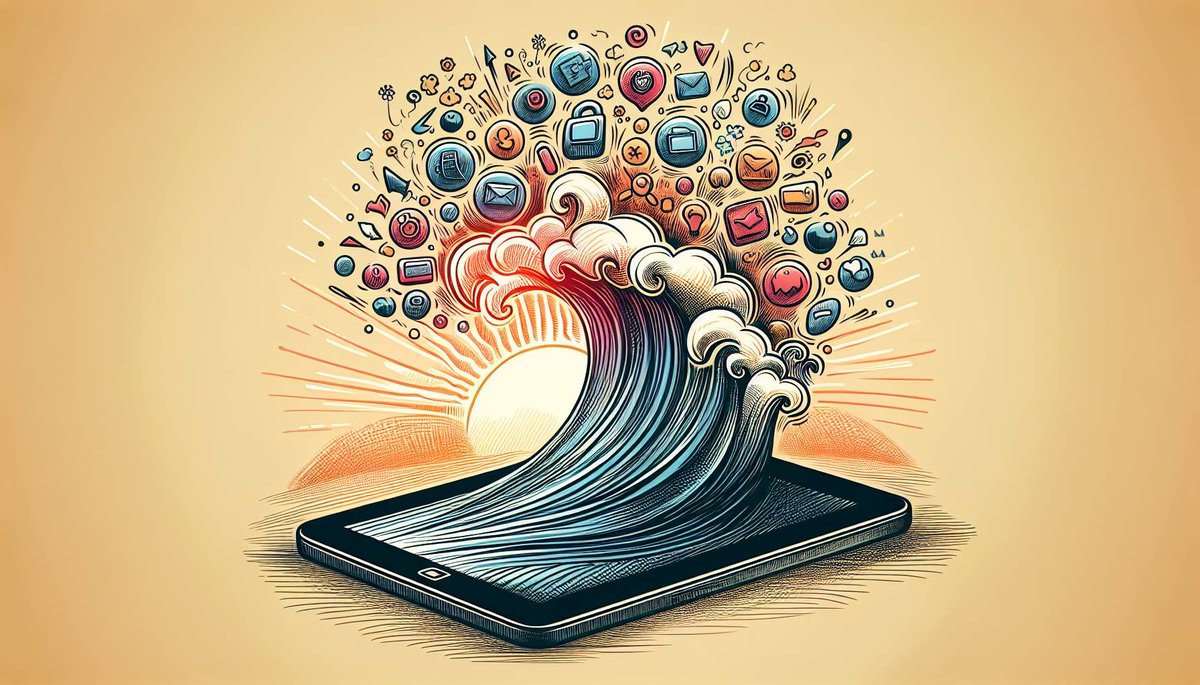
For years, the iPad occupied a curious space – a larger iPhone for media consumption, a device undeniably beautiful but often underestimated in its professional potential. Today, that narrative has been rewritten. The combination of a maturing iPadOS experience and a robust pro app ecosystem has transformed the iPad into a formidable powerhouse, capable of tackling complex creative and productivity tasks that once exclusively belonged to desktop computers. It's no longer just a companion device; for many professionals, it's becoming the central hub of their workflow, offering unparalleled portability, intuitive interaction, and raw processing muscle.
Whether you're a designer sketching ideas on the go, a video editor cutting footage in a coffee shop, or a business professional managing projects from anywhere, the modern iPad, powered by its bespoke operating system and a rich array of specialized applications, delivers an experience that is both deeply personal and profoundly professional.
At a Glance: The iPad Pro Ecosystem Unpacked
- iPadOS Unleashed: Beyond iOS, iPadOS offers powerful multitasking features like Split View, Slide Over, and Stage Manager, plus enhanced external display support.
- M-Series Power: The integration of Apple's M1 (and newer) chips brings desktop-class performance, enabling complex pro applications to run smoothly.
- A World of Pro Apps: From industry standards like DaVinci Resolve and Logic Pro to creative staples like Procreate and Affinity Photo, the App Store is rich with professional-grade software.
- Essential Accessories: The Apple Pencil and Magic Keyboard transform the iPad into a precision instrument for creation and a comfortable typing machine.
- Seamless Apple Ecosystem: Continuity features like Sidecar, Universal Control, and Handoff ensure the iPad integrates flawlessly with your Mac and iPhone.
- Portability Meets Power: Get true workstation capabilities in a device you can easily carry anywhere, blurring the lines between mobile and desktop computing.
From Consumption to Creation: The Evolution of iPadOS
When the original iPad launched in 2010, it redefined mobile computing. It was revolutionary, yet its operating system, iOS, was fundamentally designed for the iPhone. While functional, it didn't fully leverage the iPad's larger screen real estate or unique input methods. Fast forward to 2019, and Apple introduced iPadOS, a dedicated operating system built upon iOS but optimized specifically for the iPad.
This wasn't just a rebranding; it was a philosophical shift. iPadOS began unlocking the iPad's true potential, introducing features like a desktop-class Safari, enhanced multitasking capabilities, and deeper integration with the Apple Pencil. It started pushing the device away from being purely a content consumption tool towards becoming a powerful platform for creation.
Today, iPadOS continues this trajectory with sophisticated features designed to streamline professional workflows. Multitasking is more robust than ever with Split View and Slide Over, allowing you to work with multiple apps simultaneously. Stage Manager, introduced more recently, offers a Mac-like windowing experience for arranging apps, making it easier to manage several tasks on a single screen or an external display. Speaking of which, iPadOS now fully supports external monitors, extending your workspace in powerful new ways. These advancements directly address the "can it replace my laptop?" question by significantly improving efficiency for demanding users.
The Powerhouse Within: M-Series Chips Redefine Mobile Performance
The true catalyst for the iPad's professional ascendancy is the integration of Apple's custom-designed M-series silicon. Starting with the M1 chip in the 2021 iPad Pro, Apple brought desktop-class performance to its tablets. This marked a monumental shift from the A-series chips, powerful as they were. The M1, with its 16 billion transistors and 5-nanometer process, offered unprecedented speed, integrated graphics, and power efficiency for a mobile device.
What does this mean for you, the professional? It means that your iPad Pro (and increasingly, even the iPad Air) isn't just fast; it's capable of handling workloads that were previously unthinkable on a tablet. Imagine rendering complex 3D models, editing multiple streams of 4K video, or compiling large code projects – all on a device thinner and lighter than most laptops. This raw power is the backbone of the "pro app ecosystem," allowing developers to push the boundaries of what's possible on iPadOS.
This architectural leap has directly enabled the development and optimization of incredibly demanding applications, ensuring they run with the fluidity and responsiveness expected by professionals. The M-series chip in your iPad isn't just about speed; it's about unlocking entirely new creative possibilities.
The Pro App Ecosystem: Where Serious Work Gets Done
The hardware and operating system are merely the foundation; the true strength of the iPad as a professional tool lies in the incredible depth and breadth of its app ecosystem. The App Store, now boasting nearly two million apps and serving a billion customers globally, has cultivated a specialized niche for "pro" applications that leverage iPadOS and the M-series chips to their fullest.
Let's explore some key areas where the iPad excels:
Creative Professionals: Unlocking Artistic Potential
For designers, illustrators, photographers, and video editors, the iPad has become an indispensable tool.
- Illustration & Design:
- Procreate: This app alone justifies the iPad Pro for many artists. Its intuitive interface, vast brush library, and powerful layering capabilities make it a digital canvas without peer. It's used by professionals worldwide for everything from concept art to detailed illustrations.
- Affinity Photo & Designer: These apps offer comprehensive photo editing and vector graphic design tools, rivaling desktop applications like Photoshop and Illustrator. Their one-time purchase model is also a significant draw.
- Adobe Apps (Illustrator, Photoshop, Fresco): While still evolving, Adobe's suite of iPad apps provides familiar tools for those deeply integrated into their ecosystem. Adobe Illustrator on iPad, for instance, offers core vector drawing capabilities with Apple Pencil precision.
- Video Editing & Filmmaking:
- LumaFusion: The industry standard for mobile video editing, LumaFusion offers multi-track editing, advanced audio controls, color correction, and external drive support. Many indie filmmakers and content creators use it as their primary editing suite.
- DaVinci Resolve for iPad: A game-changer, bringing a significant portion of Blackmagic Design's professional desktop video editing and color grading suite directly to the iPad. This powerful application truly showcases the M-series chip's capabilities.
- CapCut, InShot, Alight Motion: For social media content creators, these apps offer fast, feature-rich editing on the go.
- Music Production:
- Logic Pro for iPad: Apple's professional music production software now on iPad, offering a full suite of tools for songwriting, beat-making, recording, and mixing. It integrates seamlessly with your Mac version.
- GarageBand: A fantastic entry point for aspiring musicians, offering intuitive tools for creating tracks, loops, and recordings.
- Cubasis 3 (Steinberg): A powerful digital audio workstation (DAW) offering multi-track recording, MIDI sequencing, and a wealth of instruments and effects.
Productivity Powerhouses: Efficiency in Your Hands
Beyond creative endeavors, the iPad excels in streamlining productivity for business professionals, students, and academics.
- Office & Document Management:
- Microsoft Office Suite (Word, Excel, PowerPoint): Fully functional versions of these ubiquitous apps provide robust document creation and editing.
- Apple's iWork Suite (Pages, Numbers, Keynote): Free, powerful, and deeply integrated with iCloud, these apps offer excellent alternatives with strong collaboration features.
- Goodnotes & Notability: For note-taking, PDF annotation, and digital journaling, these apps leverage the Apple Pencil to turn your iPad into an incredibly versatile notebook. Imagine taking handwritten notes directly on a PDF textbook or sketching diagrams in a meeting.
- Project Management & Collaboration: Apps like Trello, Asana, Monday.com, and Slack have excellent iPadOS versions, allowing teams to stay connected and manage workflows efficiently, whether in the office or remotely.
- Code Editing & Development (Emerging): While not a full-fledged desktop IDE, apps like Swift Playgrounds offer an engaging way to learn Swift and even develop simple apps directly on the iPad. Other code editors like Working Copy allow for Git repository management and file editing, making the iPad a viable device for light coding tasks or quick fixes.
The sheer variety and professional depth of these applications are what truly differentiate the iPad from other tablets. You're not just getting mobile versions; you're often getting highly optimized, feature-rich experiences.
The Magic of Accessories: Precision & Practicality
The iPad’s professional capabilities are significantly amplified by its purpose-built accessories:
- Apple Pencil (1st & 2nd Generation): This isn't just a stylus; it's a precision instrument with incredibly low latency, tilt, and pressure sensitivity. For artists, annotators, and anyone who thinks best with a pen in hand, the Apple Pencil is transformative. It allows for natural handwriting, intricate drawings, and precise selections. Features like Scribble in iPadOS even convert your handwritten notes into typed text in any text field, blurring the lines between analog and digital input.
- Magic Keyboard & Smart Keyboard Folio: These keyboards not only provide a comfortable typing experience but also integrate seamlessly, turning your iPad into a laptop-like workstation. The Magic Keyboard, with its backlit keys, integrated trackpad, and floating design, offers an exceptional typing and navigation experience, making it perfect for long writing sessions or precise cursor control. The Smart Keyboard Folio is a lighter, more portable option for protection and basic typing. These accessories are crucial for tasks requiring extensive text input or precise navigation, directly enhancing productivity. If you're looking to upgrade, you can Explore the iPad Pro 3rd Gen for an even more powerful canvas.
Seamless Integration: The Apple Ecosystem Advantage
The iPad doesn't operate in a vacuum. Its full power is realized when it integrates effortlessly with the broader Apple ecosystem. This interconnectedness, often referred to as "Continuity," is a core tenet of Apple's design philosophy and creates a truly seamless user experience across devices.
- Sidecar: Imagine needing a second display for your MacBook Pro while working remotely. Sidecar allows you to use your iPad as a wireless second screen, extending or mirroring your Mac's display. This is invaluable for designers, video editors, or anyone who benefits from more screen real estate.
- Universal Control: This ingenious feature lets you control up to two other Mac or iPad devices nearby using a single keyboard, mouse, or trackpad connected to your Mac. You can seamlessly drag and drop files between devices, moving your cursor fluidly from your Mac screen to your iPad's display as if they were one unified system.
- Handoff: Start an email on your iPhone, then seamlessly pick it up and finish it on your iPad. Handoff ensures your work continues uninterrupted across your Apple devices.
- AirDrop: Need to quickly share a large design file from your iPad to a colleague's Mac? AirDrop facilitates easy, wireless file sharing between Apple devices, bypassing the need for cables or cloud uploads for quick transfers.
- Universal Clipboard: Copy text or an image on your iPhone and instantly paste it on your iPad – or vice-versa. This simple feature drastically speeds up cross-device workflows.
- iCloud: The software lynchpin of the ecosystem, iCloud securely stores and synchronizes your photos, documents, calendar, music, and app data across all your Apple devices. This means your projects and files are always up-to-date and accessible from wherever you are, ensuring that your iPad is always ready for work.
These continuity features aren't just conveniences; they represent a significant productivity advantage, eliminating friction points and allowing you to move effortlessly between tasks and devices. For professionals who use a mix of Apple hardware, this integration creates a powerful, unified workspace.
Security and Privacy: A Foundation of Trust
In an increasingly digital world, security and privacy are paramount, especially for professional users handling sensitive data. Apple has built its ecosystem with these principles at its core.
iPadOS, like iOS, features robust security measures by default. Personal data is encrypted, both on the device and when synchronized through iCloud. The App Store acts as a crucial gatekeeper, vetting apps for security vulnerabilities and malicious behavior, significantly reducing the risk of downloading unsafe software.
Features like Face ID and Touch ID provide advanced biometric authentication, ensuring that only you can access your device. Furthermore, Apple's privacy policies are designed to minimize data collection and prioritize on-device processing where possible, giving users greater control over their personal information. For professionals, this commitment to security and privacy provides peace of mind, allowing them to focus on their work without undue concern about data breaches or unwarranted tracking.
The "Can It Replace My Laptop?" Question: A Nuanced Answer
This is the perennial question surrounding the iPad Pro, and the answer, for many, is increasingly "yes" – but with caveats.
For creative professionals (illustrators, photographers, specific video editors) and highly mobile business users, the iPad Pro with its M-series chip, Apple Pencil, and Magic Keyboard can absolutely serve as a primary device. Its portability, instant-on nature, and touch-first interface offer unique advantages that laptops can't match. Apps like Procreate, LumaFusion, and DaVinci Resolve on iPad are genuinely desktop-class in their capabilities, allowing complex projects to be completed entirely on the tablet.
However, for users who rely heavily on specific legacy desktop applications (especially those not yet available or fully replicated on iPadOS), require extensive external peripheral support, or need a traditional desktop file management system for very complex projects, a Mac or PC might still be a better fit. While iPadOS has improved significantly with features like external display support and Stage Manager, it still maintains a more opinionated approach to file management and app interaction compared to a traditional desktop OS.
The key is to assess your specific workflow. If your core applications are available and robust on iPadOS, and portability is a high priority, the iPad Pro offers an incredibly compelling package. It's not about being exactly like a laptop; it's about offering a different, often more intuitive and versatile, way of getting professional work done.
Choosing the Right iPad for Your Workflow
With several iPad models available, selecting the right one depends on your specific professional needs and budget:
- iPad Pro (11-inch & 12.9-inch): This is the flagship for professionals. Featuring the latest M-series chips, ProMotion displays (up to 120Hz refresh rate), Liquid Retina XDR on the 12.9-inch model, and full compatibility with the Apple Pencil 2 and Magic Keyboard, it offers uncompromised performance for the most demanding pro apps. If you're a serious artist, video editor, or developer, this is your best bet.
- iPad Air: Often called the "Pro-lite," the iPad Air has steadily closed the gap with the Pro line. Recent models also include M-series chips, offering excellent performance for most pro apps. It supports the Apple Pencil 2 and Magic Keyboard. If your workflow is demanding but doesn't require the absolute bleeding edge of display tech or the largest storage options, the Air offers tremendous value.
- iPad Mini: A portable powerhouse, the Mini is fantastic for quick sketches, note-taking, reading, and specific tasks where extreme portability is key. It supports the Apple Pencil 2. While capable, its smaller screen isn't ideal for multi-tasking intensive pro workflows.
- Entry-level iPad: Great for general productivity, light creative tasks, and consuming media. It supports the Apple Pencil 1 and Smart Keyboard. For truly professional, M-series optimized apps, you'll want to look at the Air or Pro models.
Consider storage needs (pro apps and media files can be large), cellular connectivity for on-the-go work, and the size that best fits your ergonomic preferences and travel habits.
Making the Leap: Optimizing Your iPadOS Professional Setup
Ready to elevate your professional creativity with iPadOS? Here are some actionable tips:
- Invest in the Right Accessories: The Apple Pencil and Magic Keyboard (or Smart Keyboard Folio) are non-negotiable for maximizing your iPad's professional utility.
- Explore the App Store Deeply: Don't just stick to the popular apps. Search for specific tools related to your industry. Many professional developers are now prioritizing iPadOS. Look for apps optimized for the M-series chips for the best performance.
- Master Multitasking: Practice using Split View, Slide Over, and Stage Manager. These features are key to efficient professional workflows on iPadOS. Experiment with different app combinations that suit your tasks.
- Leverage External Displays: If your iPad supports it, connect an external monitor. This significantly expands your workspace, especially for video editing, design, or presentations.
- Utilize iCloud & Continuity Features: Ensure all your Apple devices are signed into the same Apple ID and that Continuity features are enabled. This seamless integration is a huge time-saver and makes your iPad a more powerful part of your overall workflow.
- Consider Cloud Storage: For large project files, beyond iCloud, services like Dropbox, Google Drive, or Microsoft OneDrive integrate well with iPadOS, offering flexible cloud storage and collaboration options.
- Customize Your Home Screen and Widgets: Organize your home screen with your most-used pro apps and relevant widgets (like calendar, reminders, or project updates) for quick access to information.
The iPadOS experience and the accompanying pro app ecosystem have truly come into their own, offering a compelling blend of power, portability, and intuitive interaction. For professionals seeking a versatile, high-performance tool that empowers creativity and boosts productivity from anywhere, the iPad is no longer just an option – it's a powerful and often superior choice.